How to make payments on invoices
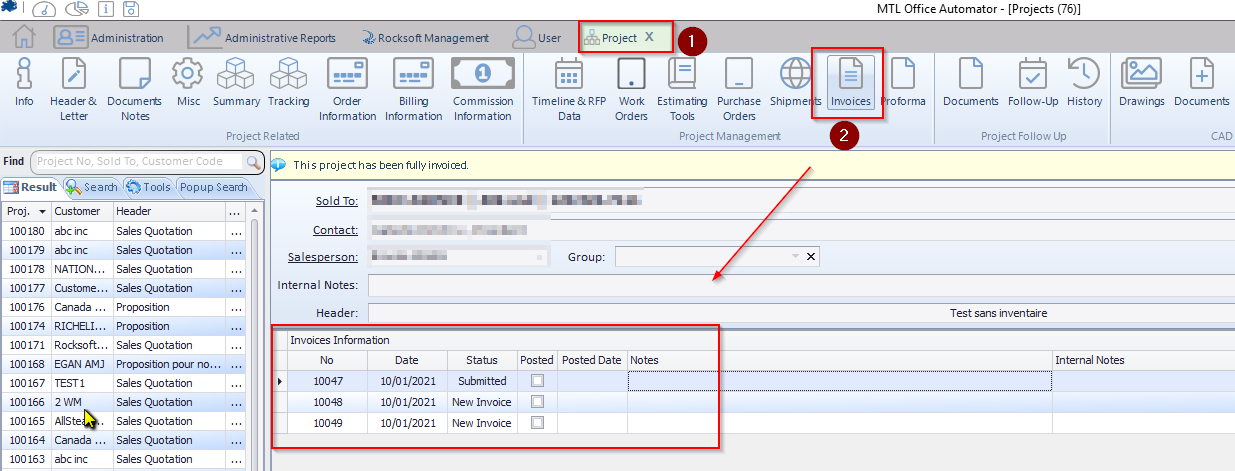
From the list of invoices, you can double-click one to open it.
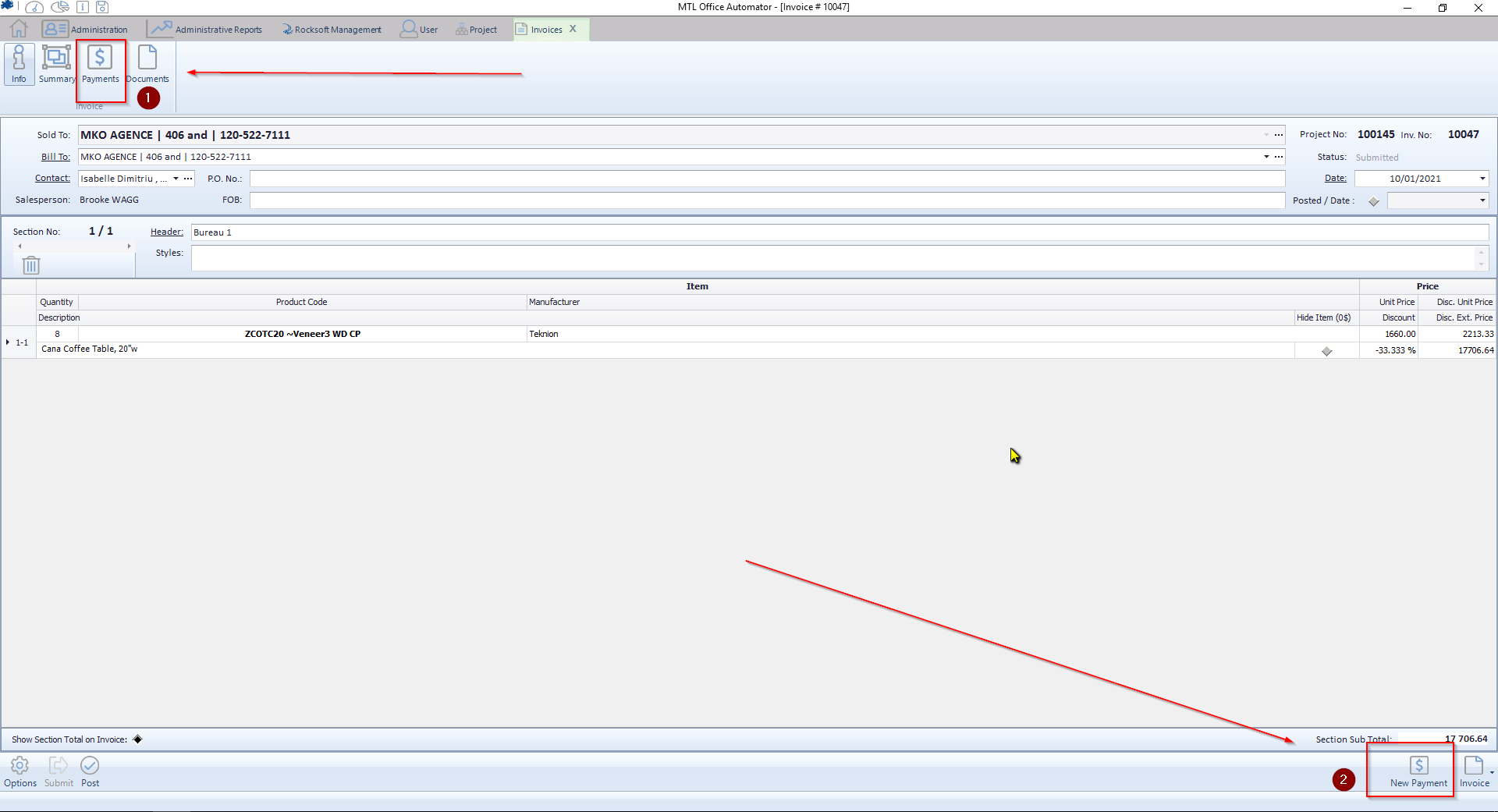
Once opened, you have to click on :
- Payments, to see existing payments already applied
- New payment, to apply a new one.
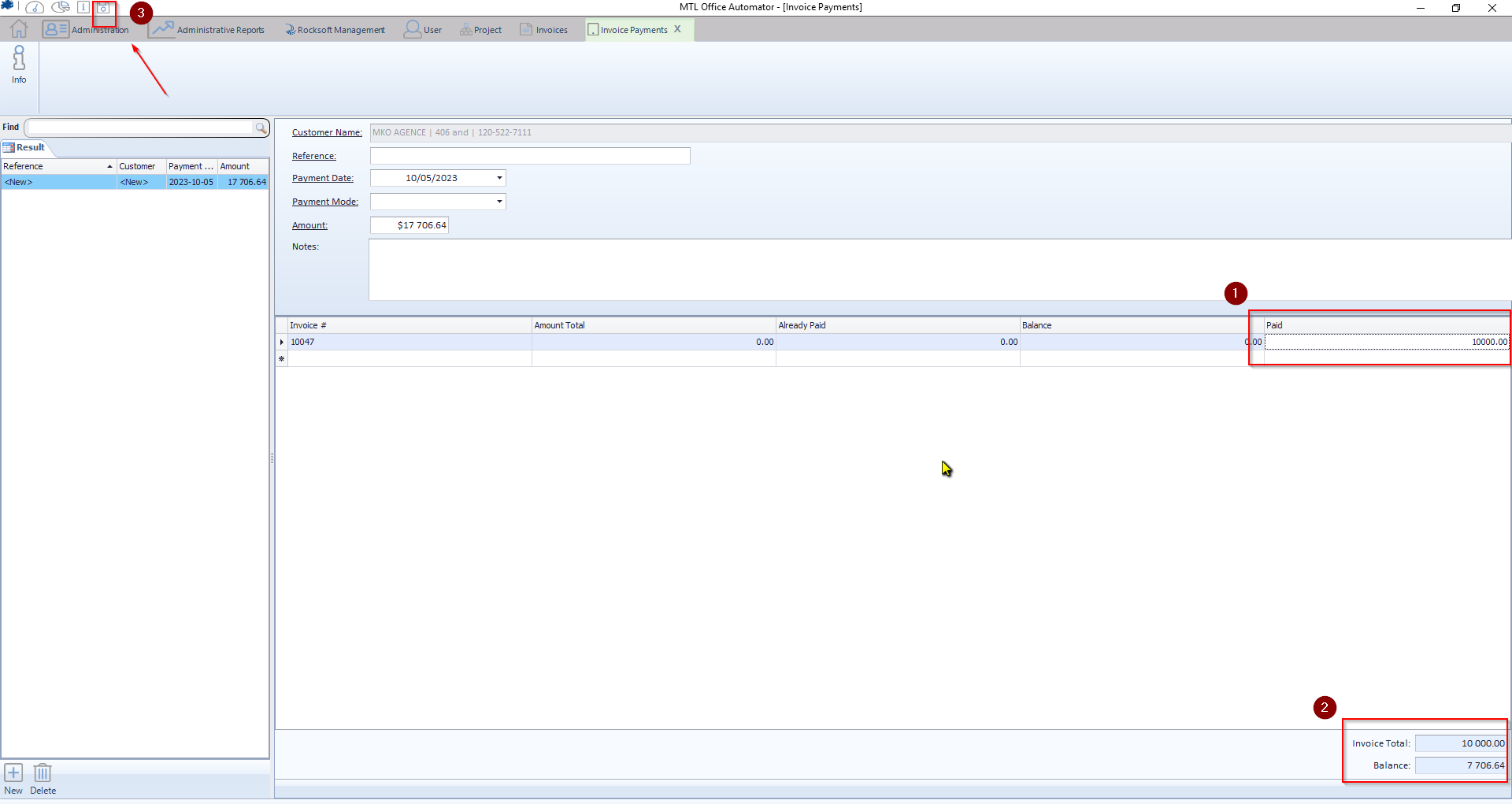
- You can enter the amount of the payment received.
- You can see the remaining balance.
- You click the SAVE button.