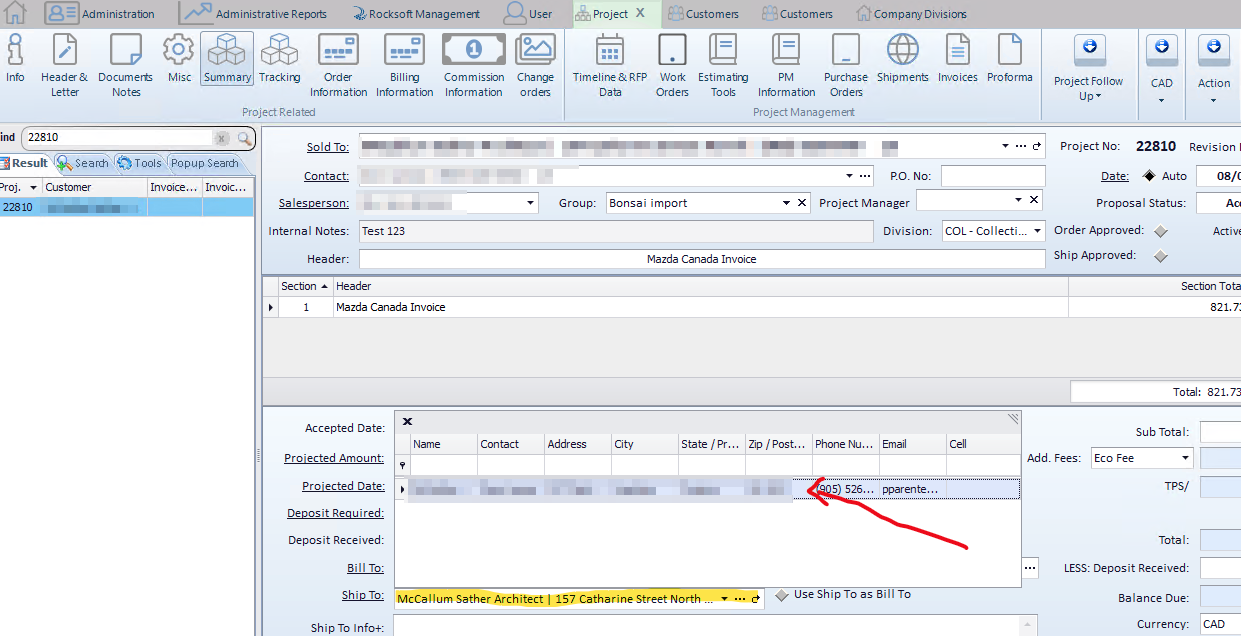
How to change the Sales Tax within a Project
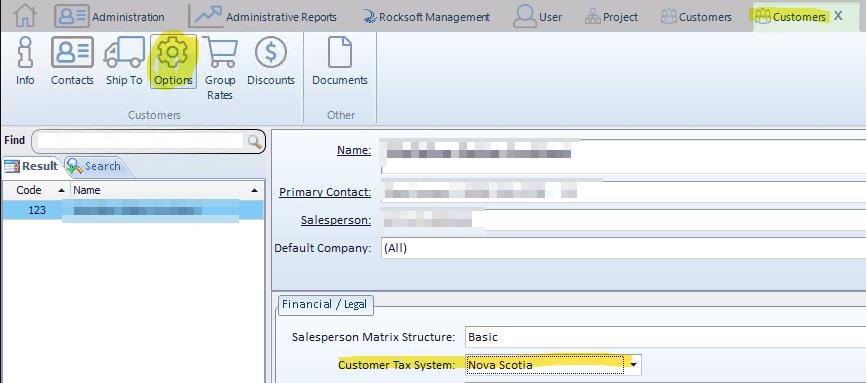
To change the tax for the project, you must update it in the customer record here:
Customer (Open the customer record) → Options → Customer Tax System (Select the appropriate tax)..
Customer (Open the customer record) → Options → Customer Tax System (Select the appropriate tax)..
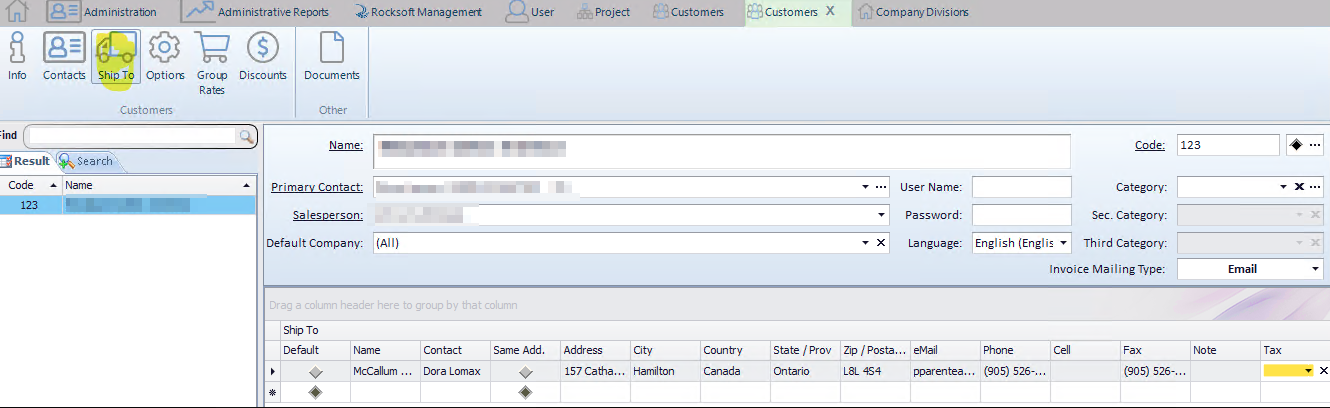
It is also possible to assign a specific tax to one of the customer’s addresses.
For example, a customer with one address in Ontario and another in Québec could have two different taxes.
Customer → Ship To → On the far right. If the field is empty, the tax selected in the Options section will be used instead.
After saving, because the modification is made after the project has been created, the taxes in the project must be manually refreshed.
To do this, in the project, you must reselect the Ship To address (open the Ship To dropdown list and select the address again).
Projects → Summary → Ship To (Open the yellow list and click on the address indicated by the red arrow).