
Create custom item
Introduction
Automator is using Project Matrix’s catalogs.
But sometimes the desired items will not be included in a catalog provided by them.
In this case you will have to created them.
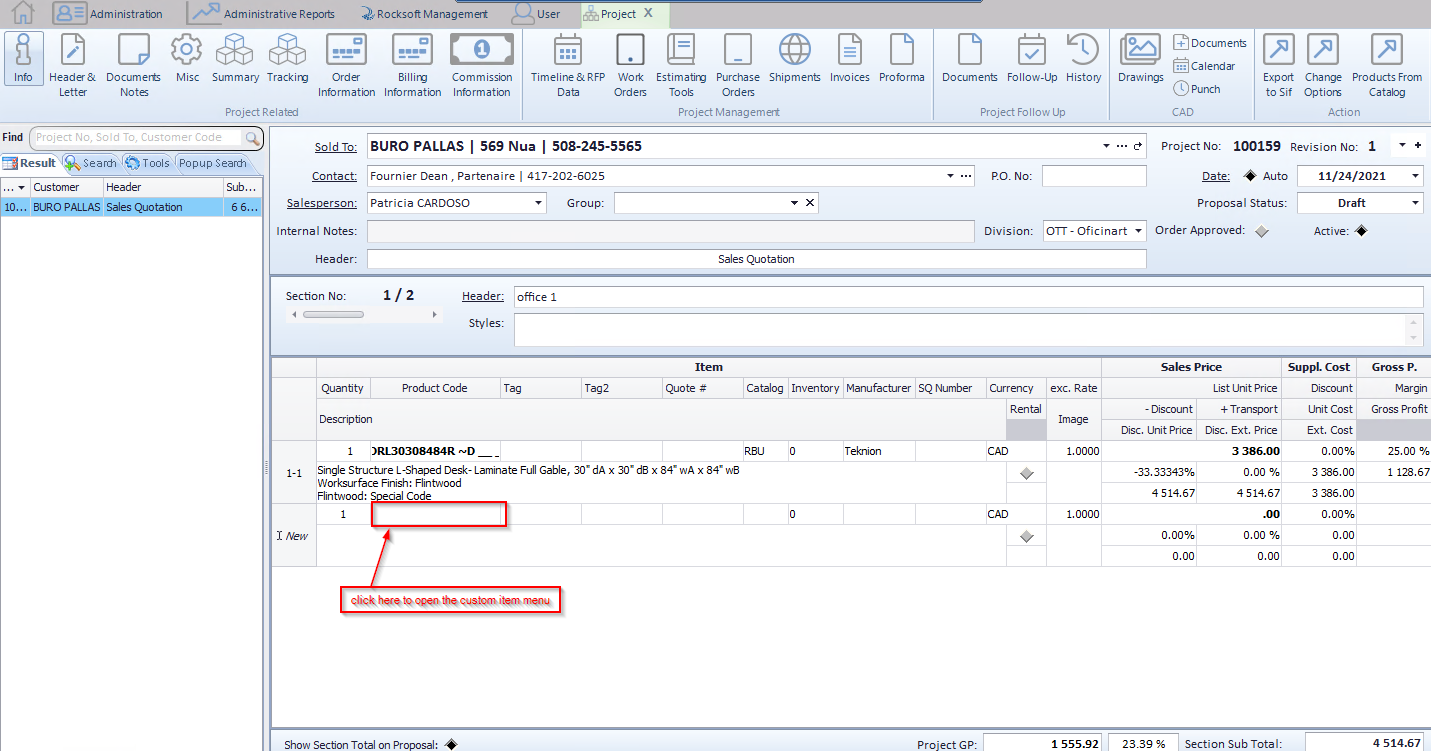
First you will have to click on the ”Product Code” column to open the custom items window
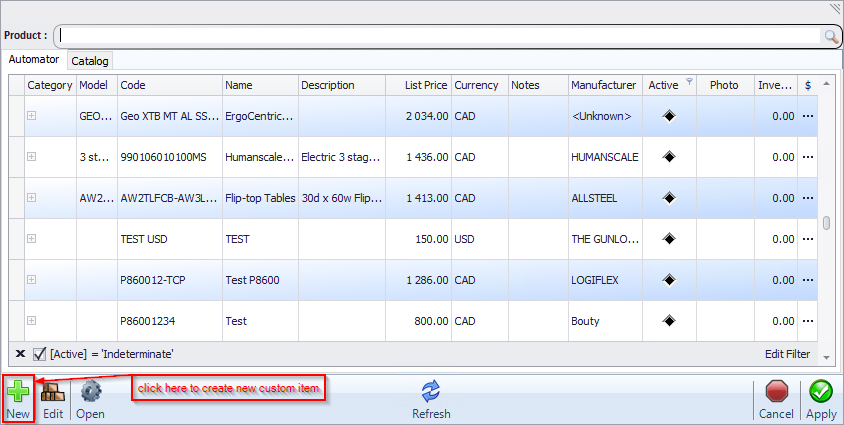
Now just click on the “NEW” button to open the item creation window
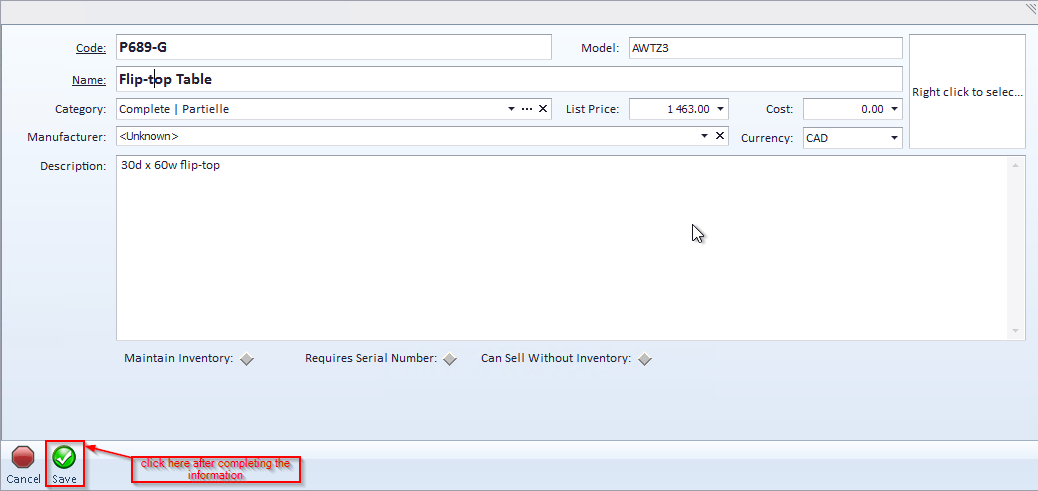
Now complete the information of the new item you want to create
Then click on save icon below
now you can see litem that you just created in the “custom item” window
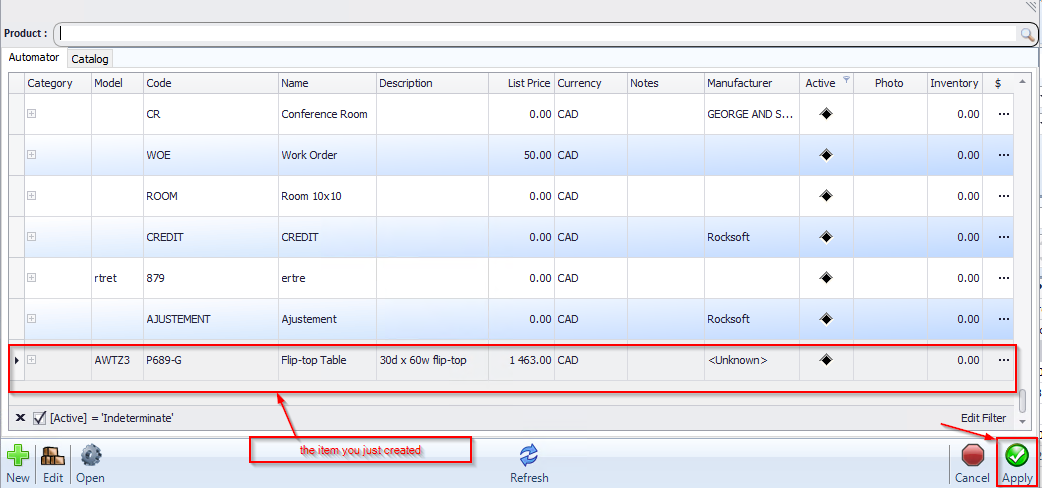
Just click on “Apply” to use your new custom item.
