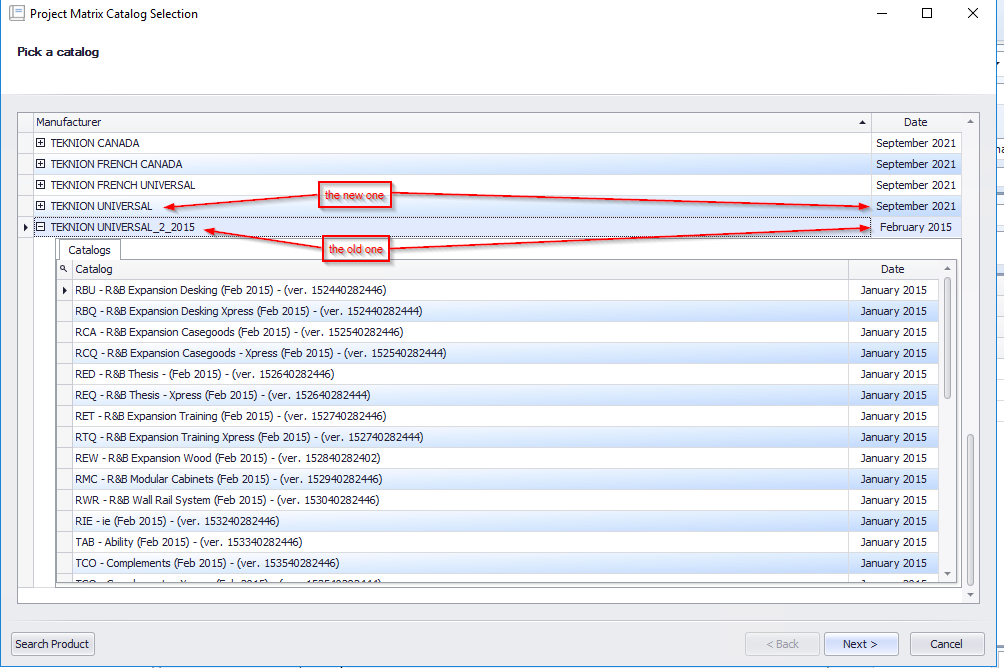
Convert the catalog to archive and use the old
Introduction
In automator it is possible to use not only the current catalog but also the old ones.
To do this we have the “Project Notify” application which allows to manage all the catalogs
- Open project notify

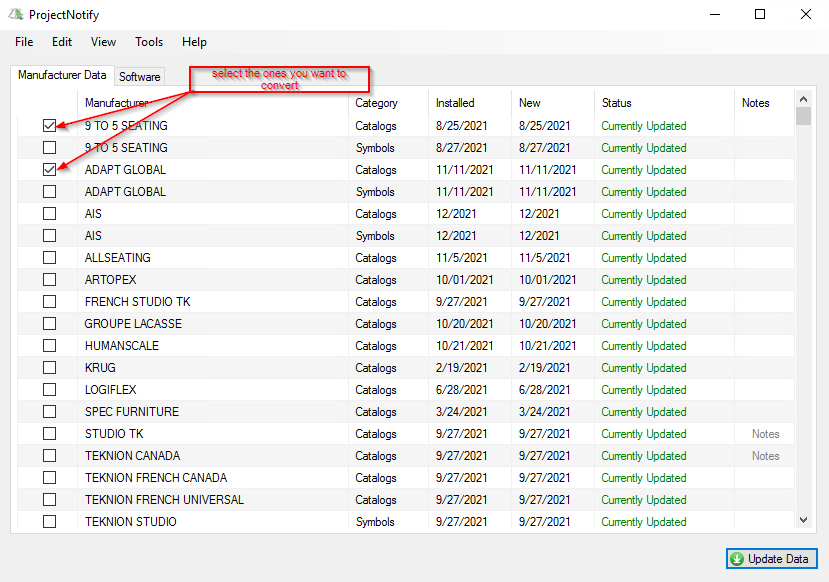
2. Select the ones you want to convert
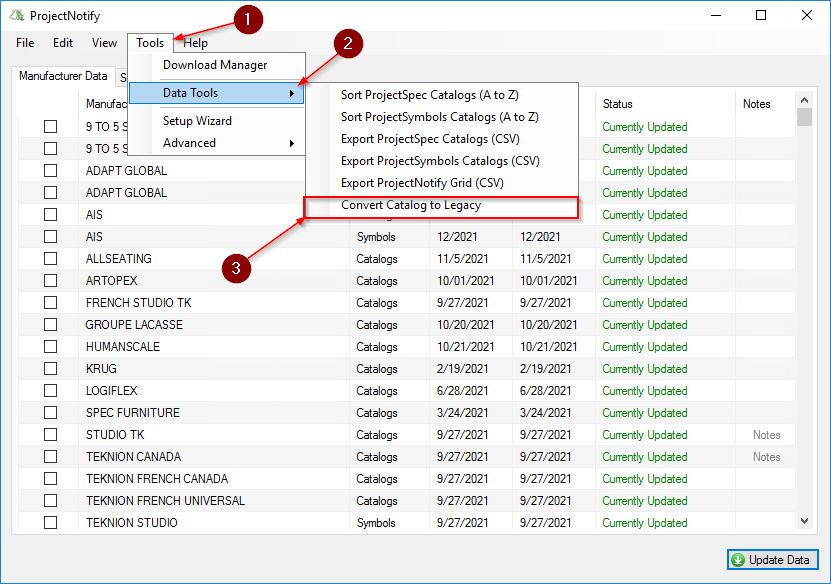
3. Converse the catalog in legacy so that you can use the one if as well as the recent afterwards
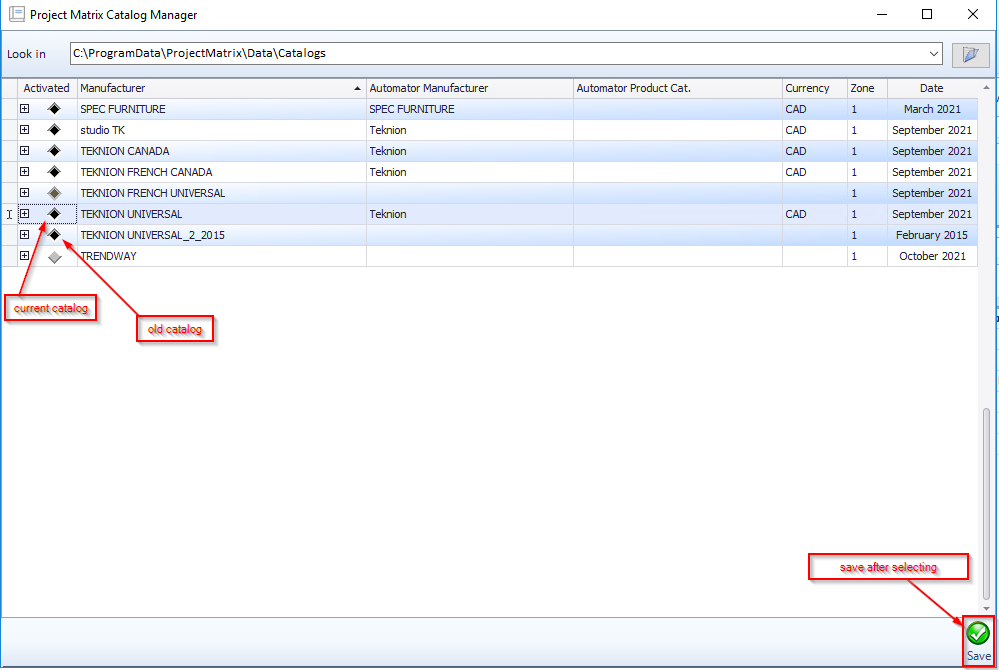
3. Now in automator you can open the catalog manager tab

4. Select the old catalog you want to use and save
Now you can see the new catalog as well as the old one when you add an item