Searching a customer
You can search your customers by name or using the extended search functionnality described below on this page.
You have to open the tab Customers and enter the partial name of the customer in the filed below and then click the magnifying glass to activate the search.
Note : to get all your customers in the results, you have to leave the search field empty.
See also Create a customer
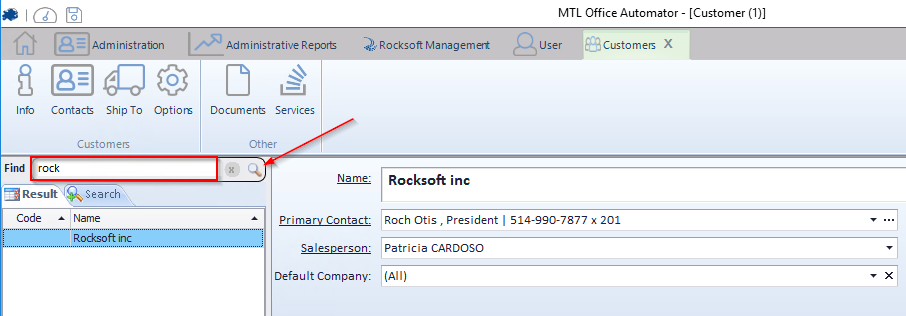
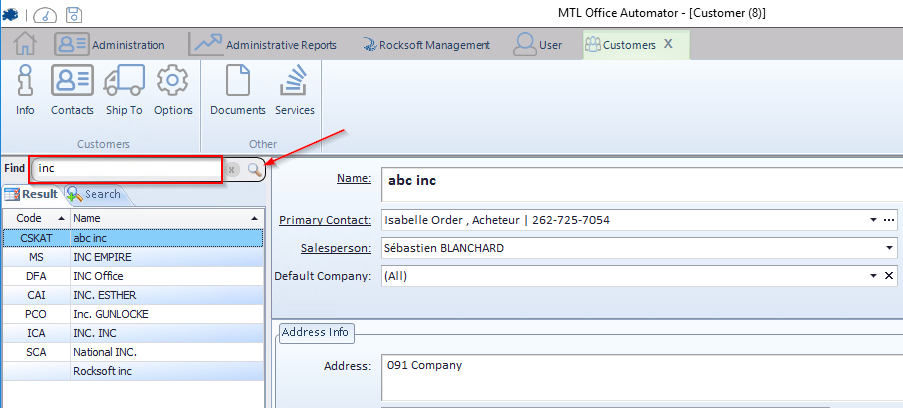
If several results match your search criterias, it will appear the results.
IMPORTANT !
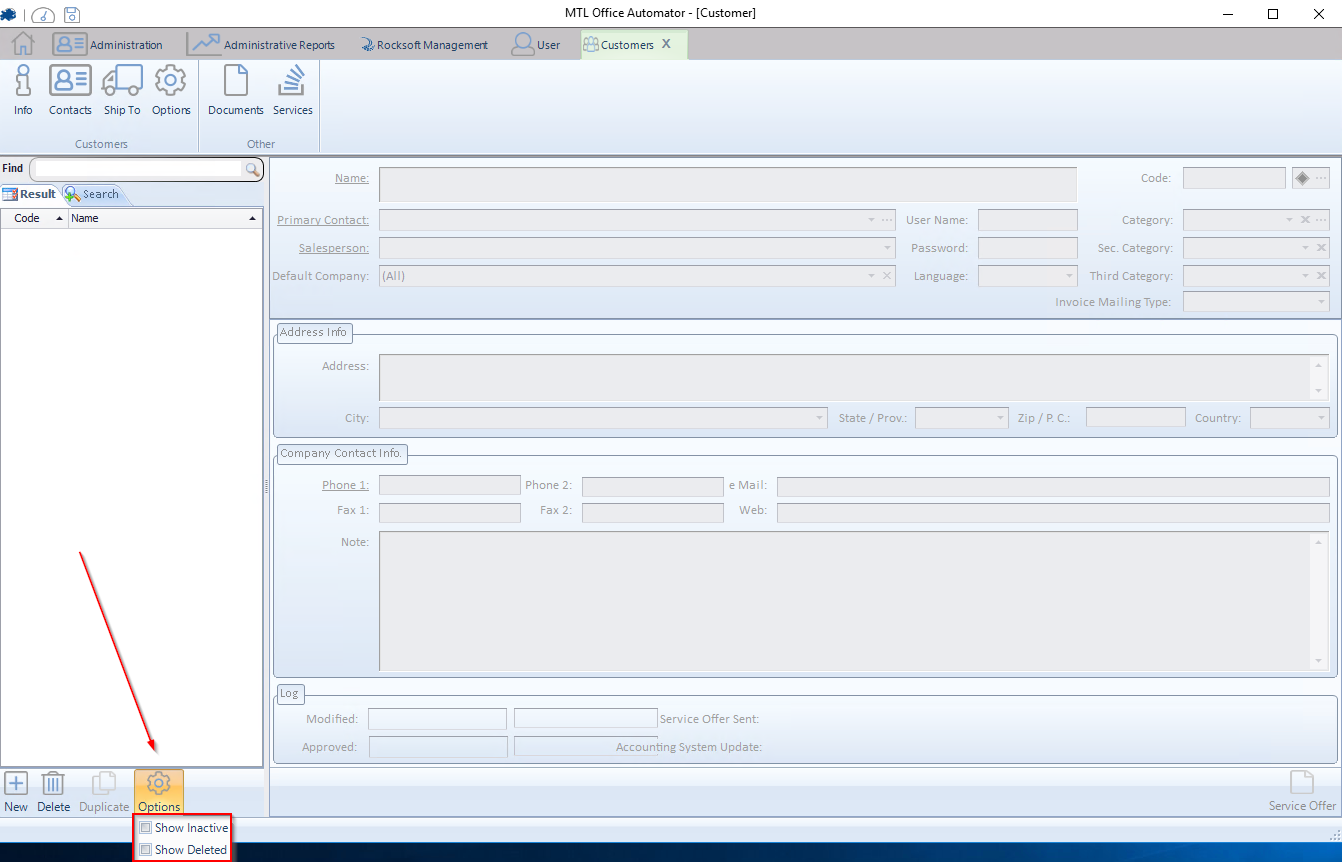
If you search for an existing customer that have been deleted or desactived, you need to check the appropriate box in the lower left corner here after you clicked Options