Customer’s and Installer’s access Module
Extend Office Automator Beyond Your Organization
Office Automator has always been designed to centralize and manage the complete office furniture distribution process, from quotes and orders to delivery, installation, and project follow-up.
Now, Office Automator goes one step further.
With the new External User Access module, customers and installers can securely interact with the projects they are involved in, without requiring access to Office Automator itself.
Give customers access to their projects
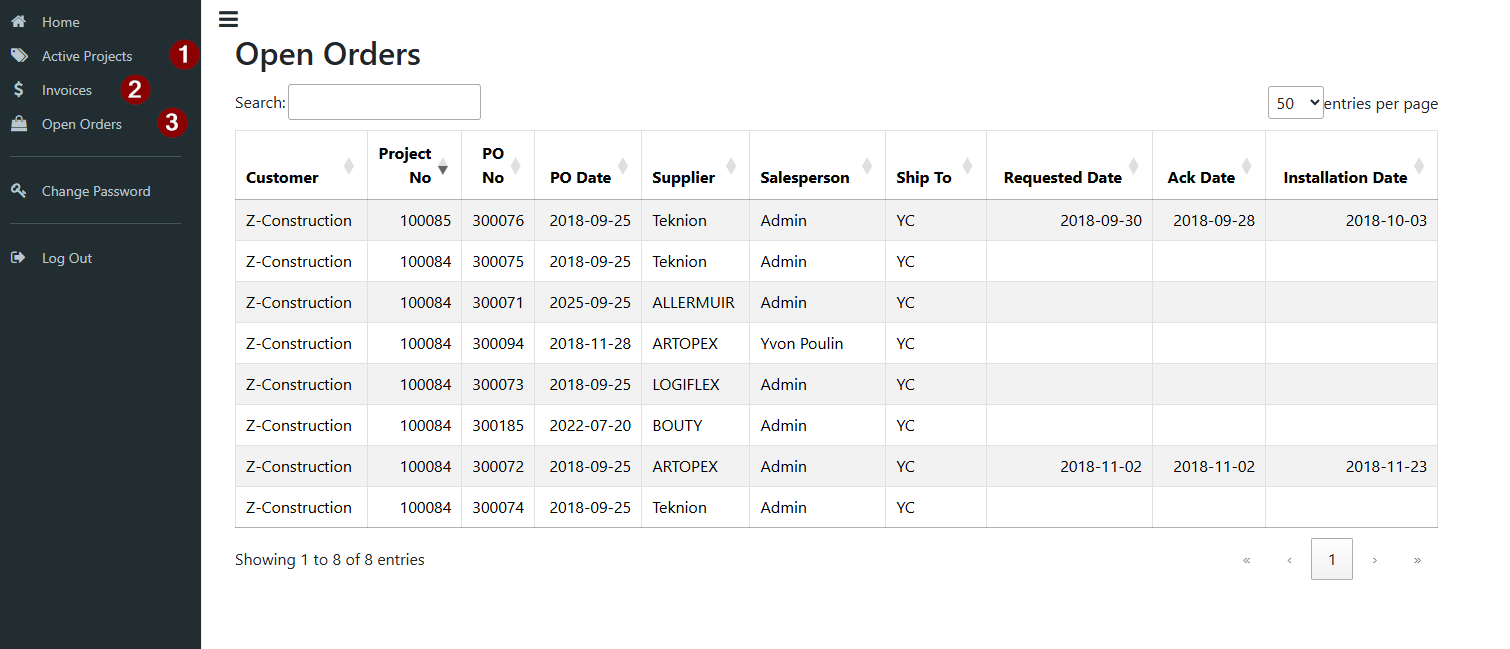
Customers can now access a dedicated interface to follow the progress of their projects, contracts, purchase orders, and other relevant information.
Instead of relying on phone calls, emails, or internal staff to provide updates, customers can access the information they need directly.
This creates greater transparency, reduces administrative work, and keeps everyone working from the same information.
Let installers track their work
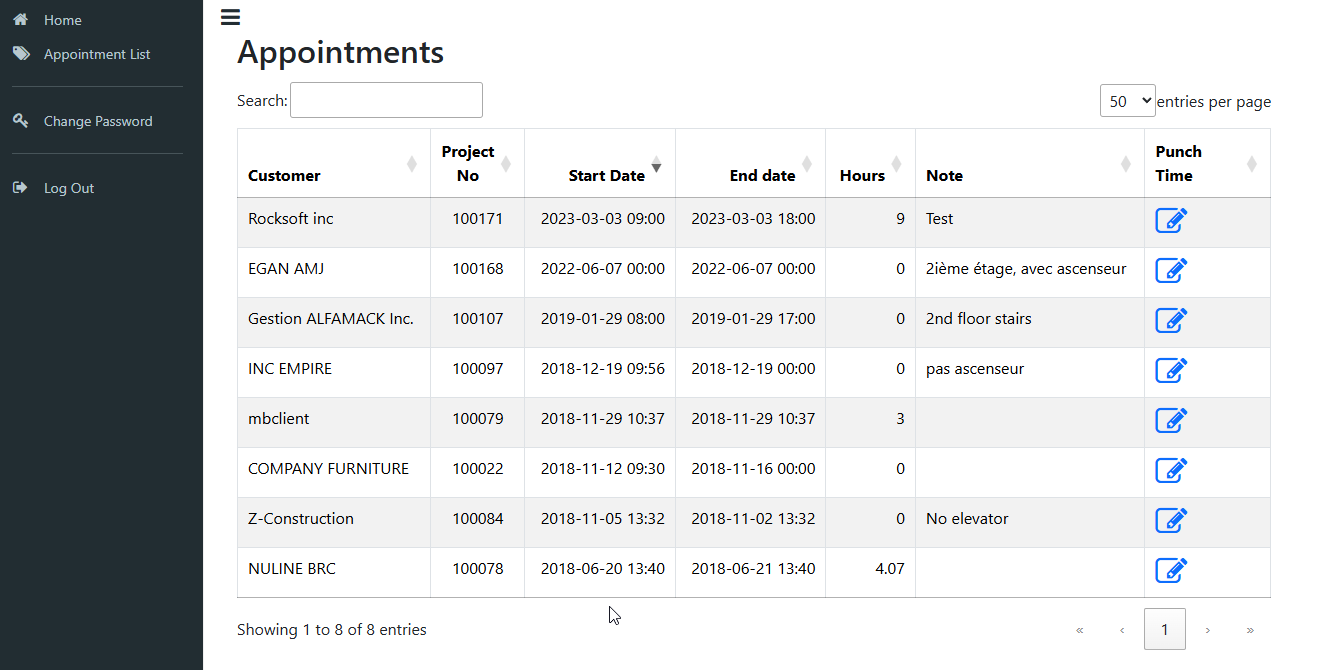
Office furniture installation often involves external installers who need to know where and when they are expected to work, and distributors need an accurate record of the time spent on each project.
With External User Access, installers can access the projects assigned to them and punch their working time directly against the appropriate project.
Their hours are automatically associated with the corresponding project in Office Automator, providing distributors with accurate and centralized information for project costing, billing, and follow-up.
No Office Automator access required
Office Automator is often hosted in a Terminal Server environment accessible only to the distributor’s internal team.
That is no longer a limitation.
Customers and installers do not need access to the Office Automator application, your Terminal Server, or your internal network.
They simply use their own secure access to interact with the information and functions made available to them.
Office Automator remains the central source of information, while external participants get exactly the access they need, and nothing more.
One project. Everyone connected.
Whether it is a customer following an order or an installer recording time on a delivery and installation project, everyone can now contribute to the same workflow.
Office Automator keeps the information centralized.
The External User Access module brings the right people into the process.
- Less back-and-forth.
- Less manual data entry.
- Better project visibility.
- More accurate time tracking.
Office Automator now connects your entire project ecosystem, not just your internal team.
How to set up external access
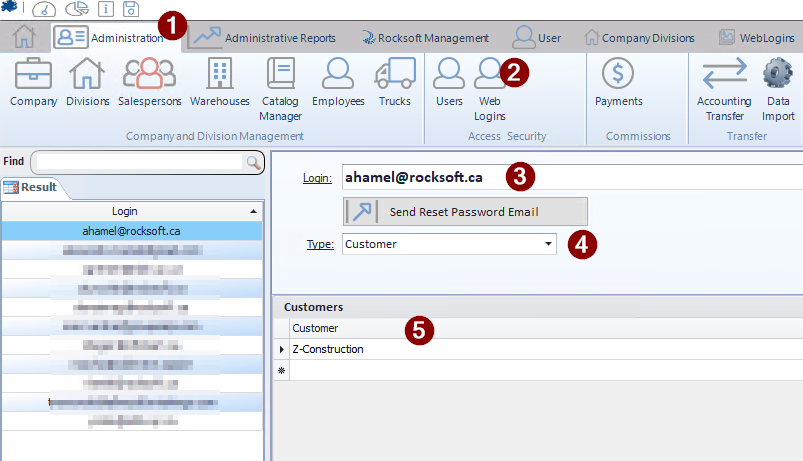
Within Office Automator, go to the Administration tab (1), then select Web Logins (2).
Enter the email address of the person you want to grant access to (3).
From the Type drop-down menu, select whether the user is a Customer or an Installer (4).
Based on the selected type, select the appropriate customer or installer from the list below (5).
Once the user has been associated with the correct customer or installer, click Send Reset Password Email. The user will receive an email allowing them to set their password and access the web portal and will be redirected to the login screen.
That’s it. The external user can now log in and access the information and features made available to their account.