How to configure admin fees
In Automator, you can configure admin fees to be calculated automatically based on a percentage defined.
By default, it is calculated on the cost of the items but it can also be set on the selling price, you need to contact our support team to have this changed.
There is 3 levels of admin fees that can be set.
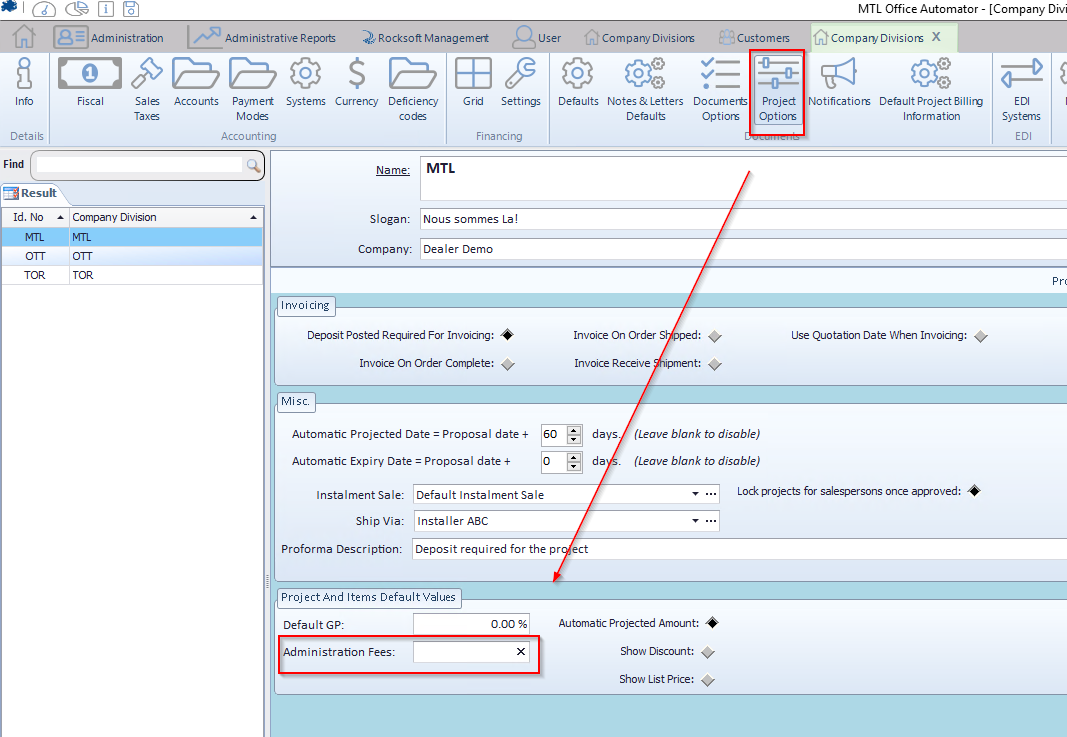
- In the general configuration : this will apply the admin fees automatically for all projects and any clients.
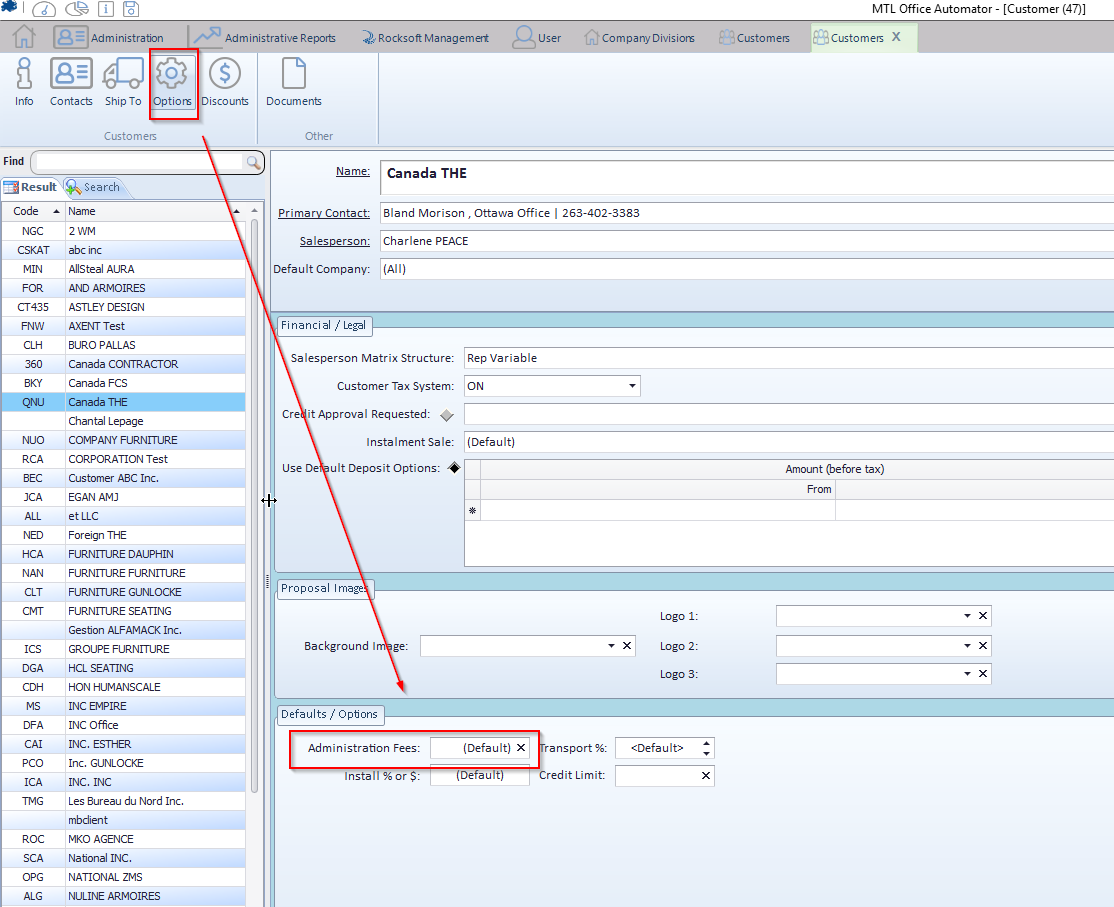
- In the client settings : if there is a value set for a particular client, this value will override the one set in the general configuration.
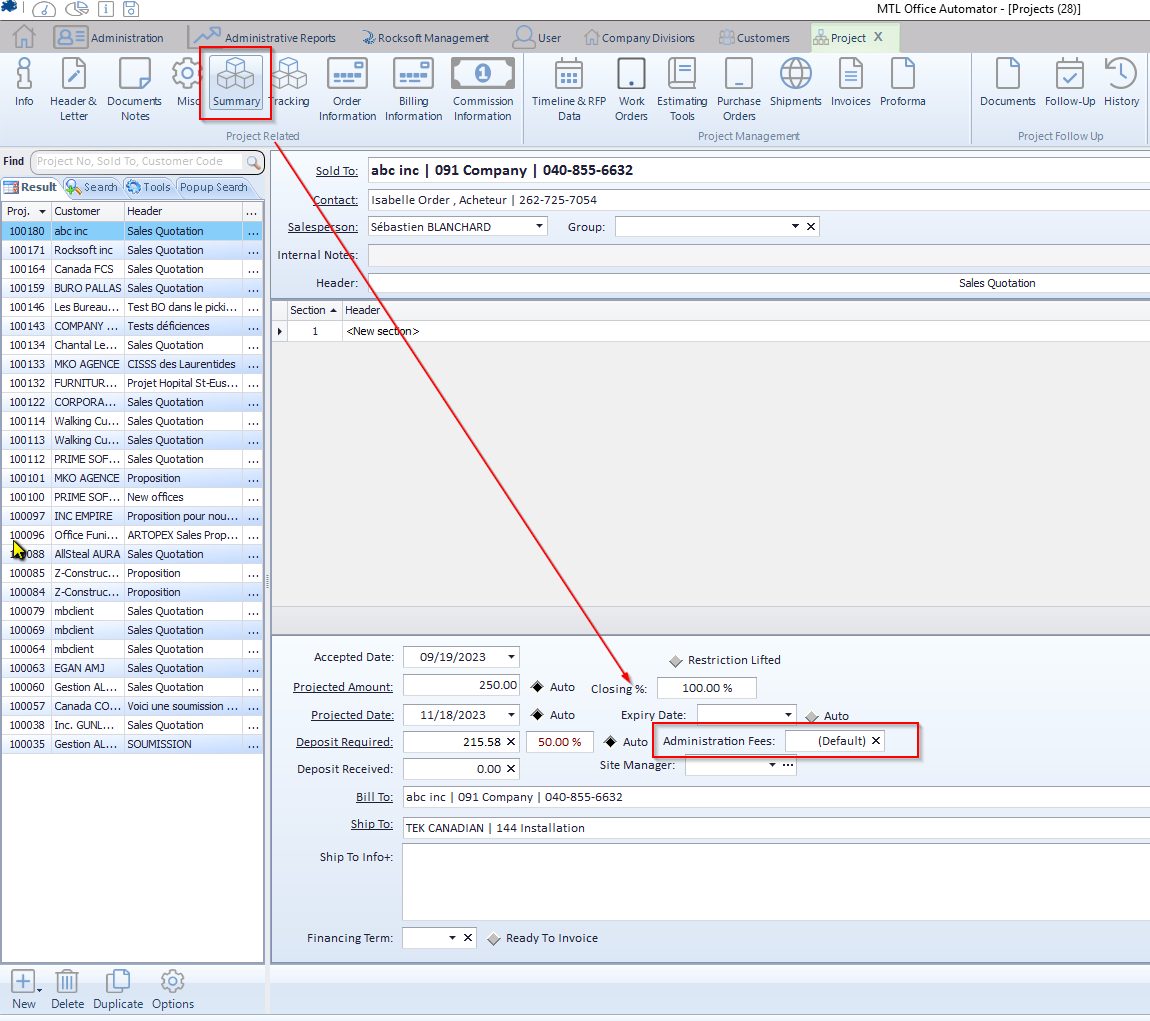
- In the project itself : you can also override any previous settings if you set a value in the project itself.
The following screenshots show you how to set the desired parameters.
General configuration : Go to the tab Administration –> icon Divisions –> icon project options
Admin fees set per client : within any client’s profile –> icon Options
Within a project : icon Summary
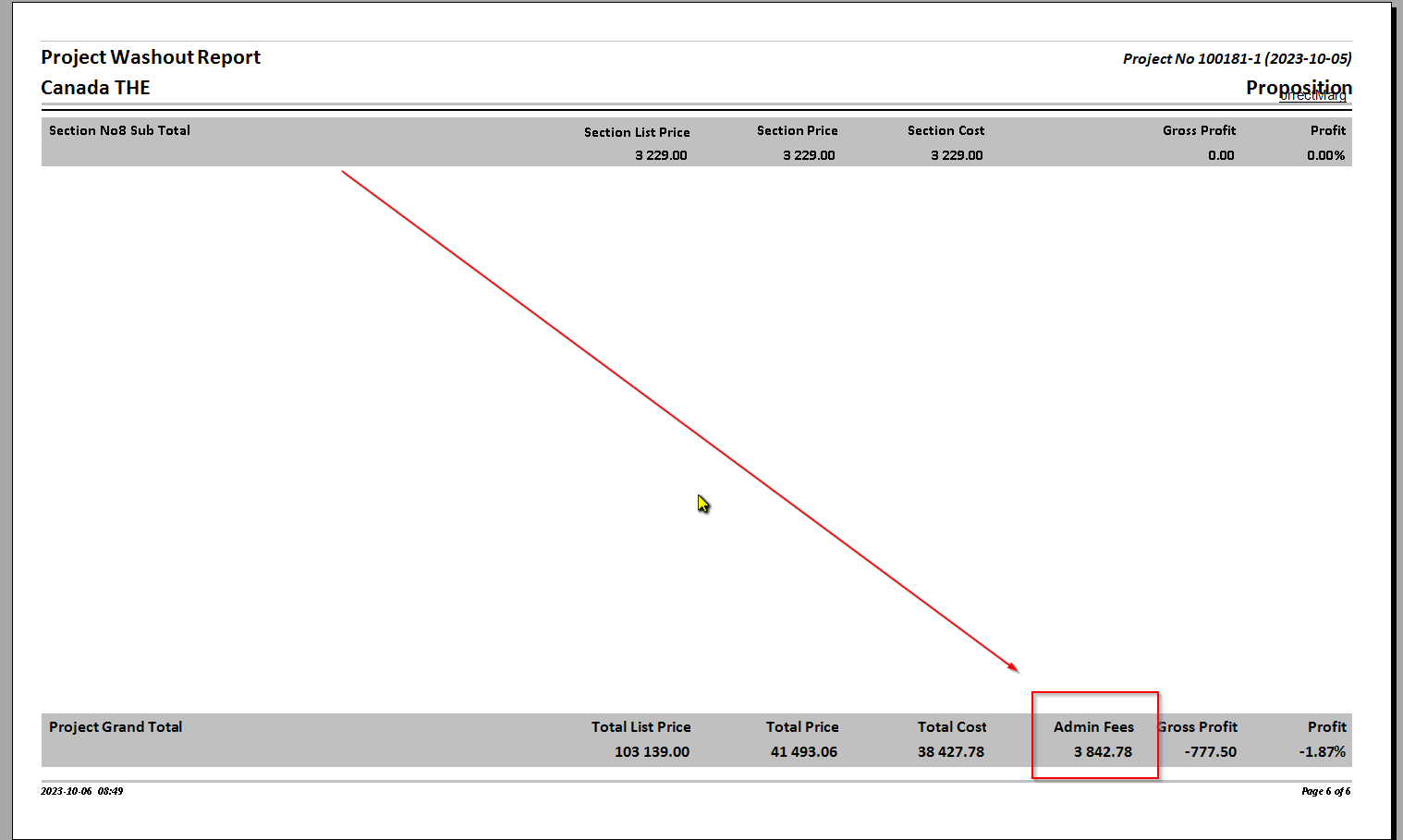
You can see the total admin fees on the washout report